
Every Revit user has a story on how they got hooked with Dynamo. Mine is a simple one - string manipulation to rename views. I worked at a aluminium formwork supplier and we had our own naming conventions per cardinal direction. Everytime we generated elevations in every rooms in the model, we had to manually renamed them.
UI First (most of the time)
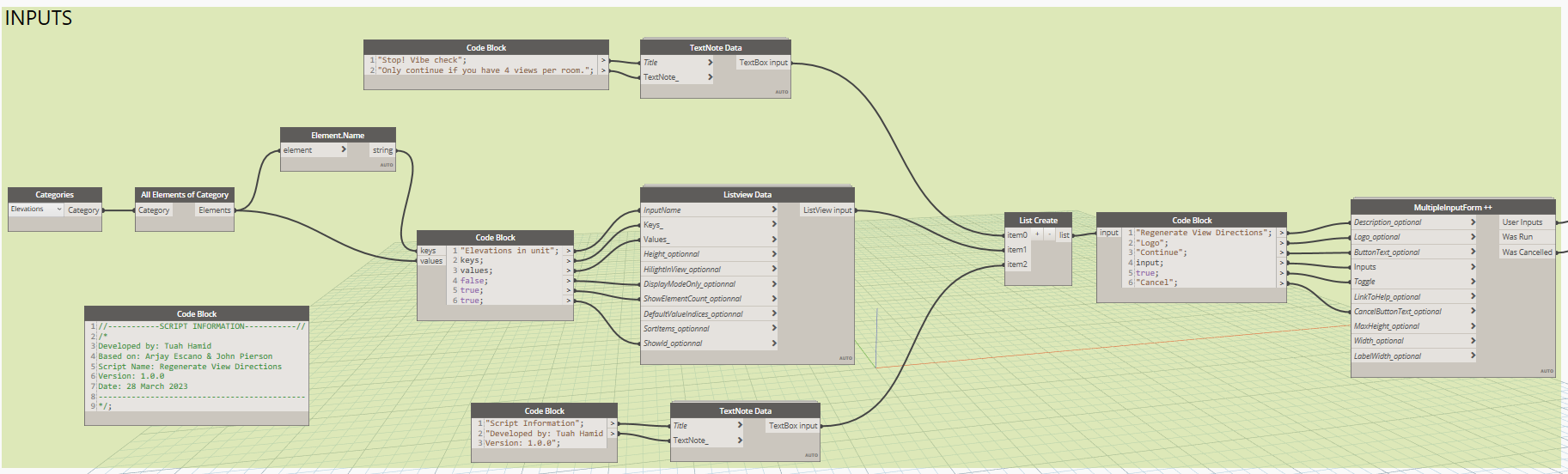
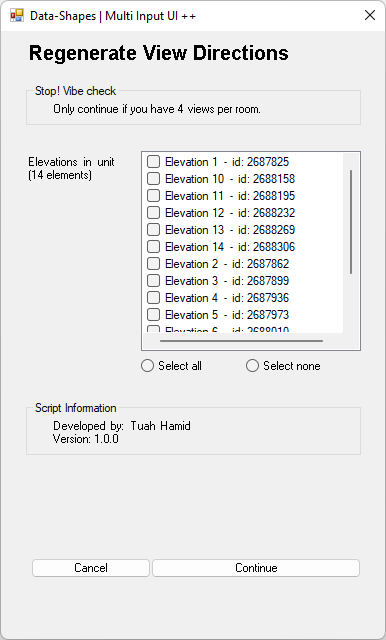
Not all Dynamo scripts require UI interaction, but in this case, I do need the user to choose which elevation marker names they intend to regenerate. UI form is really easy to prop up with packages like Data-Shapes.
Dependent elements
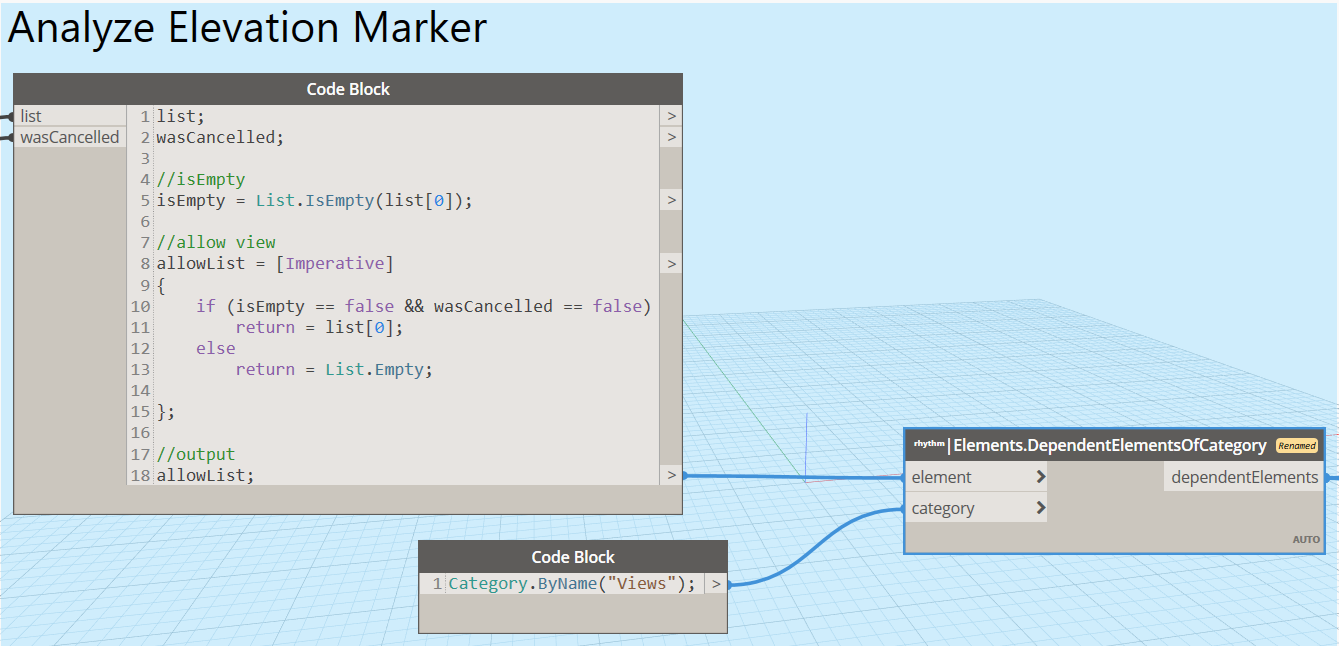
Elevation markers do not give me the related views directly. I need to query further using Rhythm’s Elements.DependentElementsOfCategory.
Now that I have the views, I can determine the rooms Associated with each elevation view, and extract the room name of the room elements.

Generate sequence
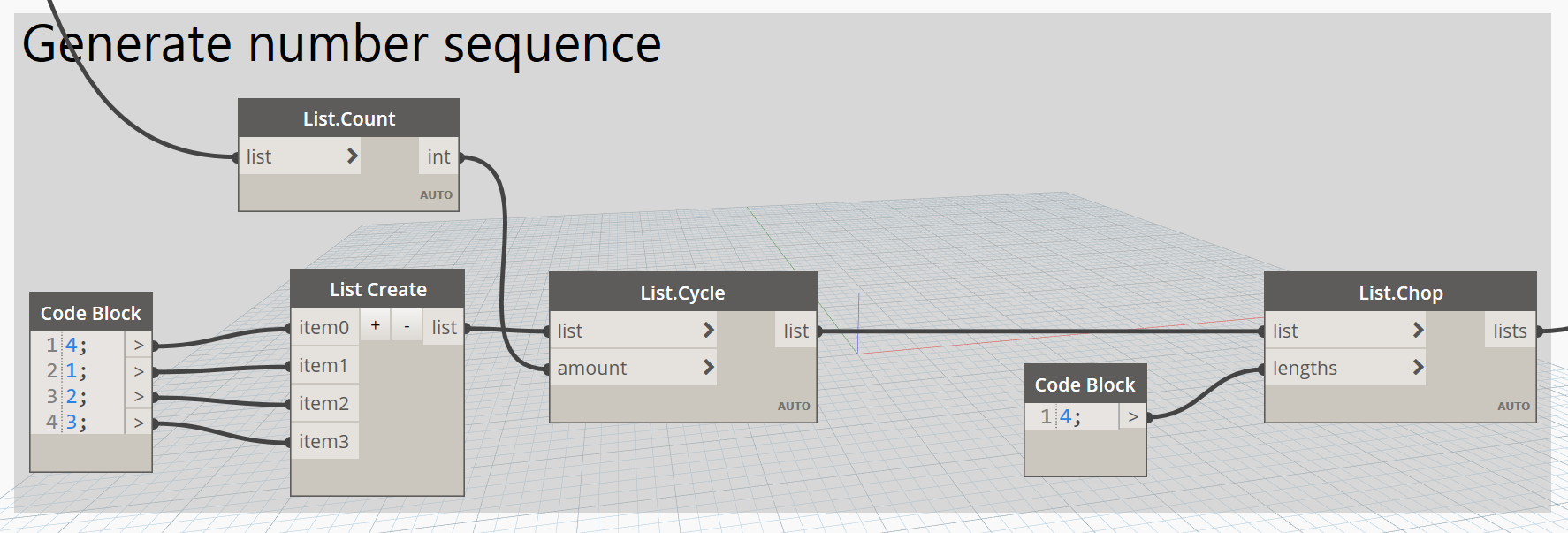
Good thing that it is safe to assume for each elevation marker, I will have four views:
List.Chop and List.Cycle are useful
here.
Final step
I have all of the information in the right format, now it is only a matter of setting the parameter values to the view names.
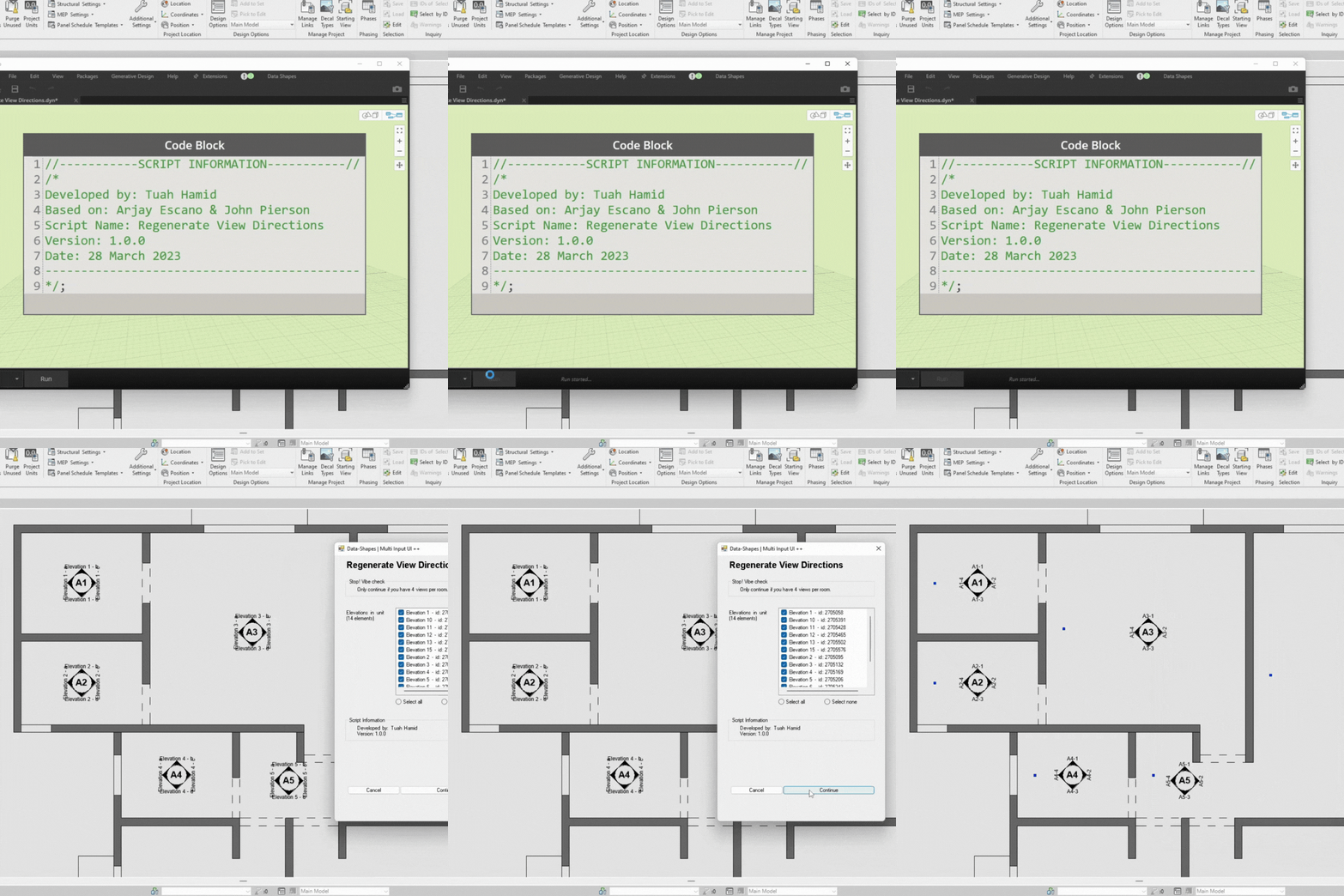
And that is my first Dynamo script. It might not be flashy, but it definitely open up the possibility of Revit automation for me. In addition to the UI, I also emphasize ease of deployment for my users. At the time of writing, my prefered method of deployment are via Dyno and pyRevit, which allow direct interaction of the script without having the user to launch a Dynamo window.